Frames not Idles

The classic update cycle in GTK+ has very little overall coordination. If the widget hierarchy needs layout, we add an “idle function” to do that at the next opportunity. If a widget needs a redraw, we add an idle for that. If we want to animate something, we add a timer function to update the animation at 20 frames per second. When we receive a mouse event we go ahead and process it. The end result looks something like:

Timeline of updates without frame synchronization

There’s all sorts of redundant work going on that the user never sees; we lay out several times before redrawing. We update the animation or the mouse position several times in a row. And then we finally draw something. A better way to handle things is to organize around frames; we want to synchronize things so that we do each type of update exactly once before we redraw:

Timeline of updates synchronized to frames

So, how close are we to that ideal with Clutter? I lied a bit above: GTK+ was fixed a few years ago to bind together relayout and redraw: every time GTK+ does a layout, it does a redraw immediately after. This makes sure that, when you are resizing a window, GTK+ doesn’t spend all its time laying out the contents and never get around to redrawing them. Clutter copied that approach and also binds relayout and redraw together. Beyond that, the Clutter 1.0-integration branch now has work by Emmanuele Bassi to bind animation into the frame cycle as well.

Motion compression. The less obvious thing that a frame based approach provides is a theoretically sound basis for motion compression. Motion events have always been a bit of a problem; if you are doing anything at all expensive in response to a motion event, you can build up a huge backlog of pending motion events. The user drags an object around, the user releases the mouse button, and the object keeps going on its own for a few seconds.

Various approaches have been taken to this: PointerMotionHintMask is an X mechanism where only a single motion is sent until the application acknowledges it; this had advantages for not flooding 1980’s era networks, but introduces latency and complexity. Clutter currently rate-limits motion events by time; with this approach either too many or too few events may be dropped, and it’s possible to drop the last event and never catch up to the current mouse position when the user stops moving the mouse.

With frames it all becomes easy: you just queue up input events until you are ready to draw a frame. Then you run through that queue and drop any motion event where the next event is also a motion event.

I’ve tried implementing this technique in gnome-shell (by queueing and processing events before sending them on to Clutter) and it works well. But it should be generally applicable to all Clutter applications.

To be continued… So how should the frame drawing be scheduled? when do we start drawing a new frame? How does it relate VBlank synchronization? I’ll cover that in a follow-up post.
GNOME Shell SOC Projects

Just wanted to quickly mention the three Google Summer of Code proposals that were accepted related to GNOME Shell.

David Jordan is going to work on Application-aware Window Management . This is a really interesting proposal to allow applications to expose more content to the desktop window switching than just a single toplevel; for example, to make it possible to look at all of the tabs of your web browser and switch directly to one of them. Marina will be the mentor the project.

Nathan Lo is going to work on Multiple monitor support for workspaces. The combination of multiple monitors and multiple workspaces has always been uncomfortable in GNOME. Switching all your monitors at once just isn’t what you normally want. It’s more likely that you want to keep one monitor fixed and switch another. This problem becomes more pressing in GNOME Shell where we’ve tried to make workspaces easy to use and intuitive. So the project will explore how it works to have separate workspaces on the different monitors and what the appropriate way is to present that to the user. I’ll mentor this one.

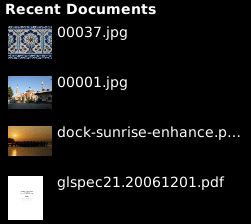
And finally, Siegfried Gevatter is going going to work on Zeitgeist Integration. Currently GNOME Shell has a very simple flat list of recent documents in the overview. We’ve wanted to move to a more time-base “journal” approach, and possibly add extra features like tagging. That is very similar to what the Zeitgeist project is about, so rather than duplicating effort, it would be very nice to just take the data that Zeitgeist is collecting and show it in the GNOME Shell user interface. This will be mentored by Seif from the Zeitgeist project.

Reinteract 0.5.0

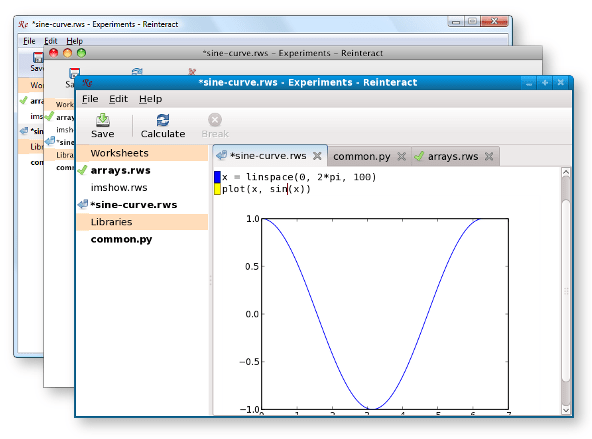
Reinteract notebooks - cross platform

People who have been reading my blog for a while may remember Reinteract. I haven’t written anything about it here for a while, but I’ve still been working on it; usually in a spurts of a few weeks of evening hacking at a time. I’m going to be talking about Reinteract at Pycon this weekend, which inspired me to go ahead and finish up something worth calling a release. Reinteract 0.5.0: Source, installers for Windows and OS X.

One big change over the last year is the notebook user interface. Any decent size project is going to have multiple worksheets along with the Python libraries and data files that they use. The Reinteract main window now represents a notebook – an entire project – instead of a single worksheet.

Another major effort was porting Reinteract to Windows and OS X. Since Python and GTK+ already worked on these platforms, it was mostly a question of putting together existing pieces. But there was quite a bit of work to get things installed properly, and to create slick installers that combine Reinteract with the libraries and Python modules it depends upon. On OS X, I also wrote some native code to get a proper global menu.

With the new version, the work of computing a Reinteract worksheet occurs in a separate thread; this allows the user interface to stay responsive during long running operations. And allows you to interrupt running operations, which is a very handy thing to have if you accidentally write an infinite loop, or start some calculation that’s going to take a year to finish.

And of course, there are lots of bug fixes and small features as well. I’ve had useful suggestions, bug reports, and patches from a great number of people. I’d like to thank Kai Willadsen and Jon Kuhn in particular for their active contributions. Among other things, Kai recently landed a change that makes the replot module considerably more useful: instead of being restricted to a single plot command, you can use all the methods of the matplotlib Axes object.

GNOME Shell Status – 2009-02-09

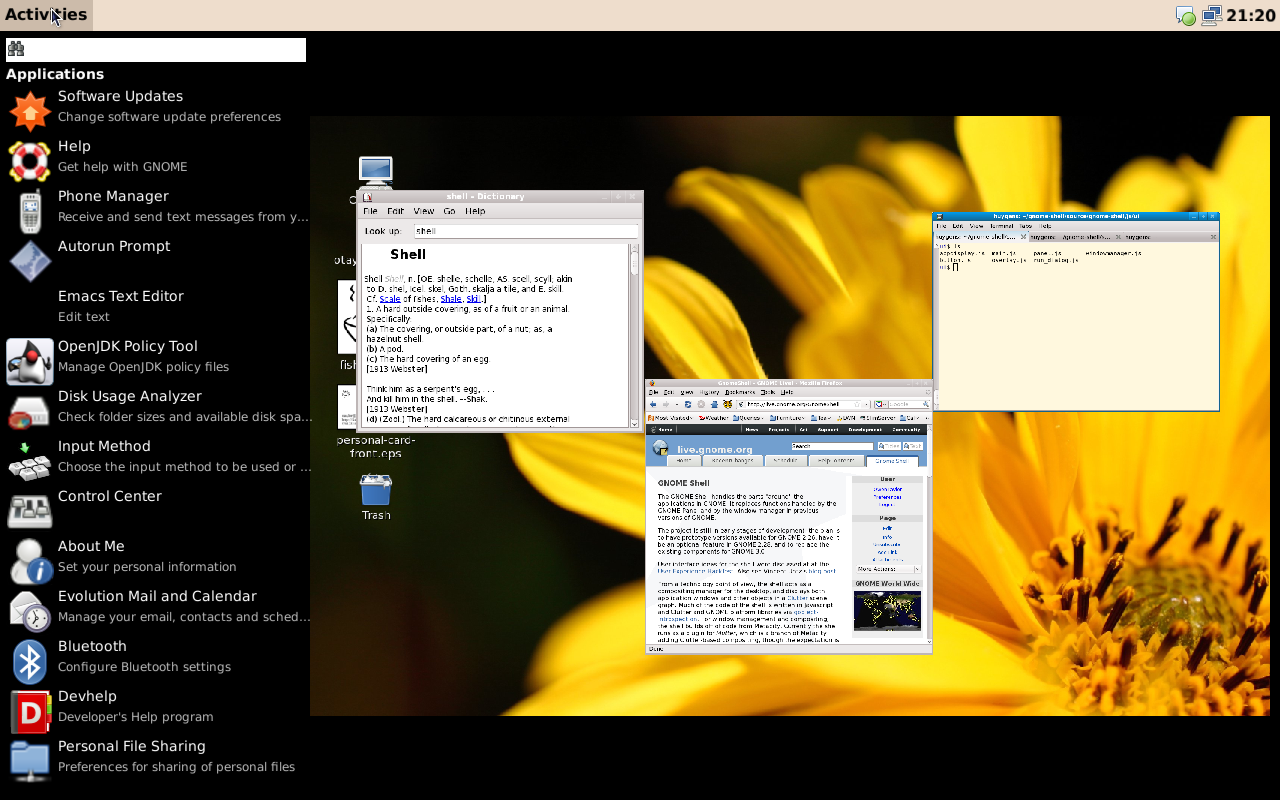
It’s time for another GNOME Shell status report. Let me start off with a screenshot of what it looks like today:

gnome-shell-20090209

The most obvious change visible here since my last post are workspaces. The static image doesn’t real do it justice. As you add and remove workspaces they slide in and off the screen with a slick animation. (It’s even better than that movie now.) You can drag and drop applications between windows or drag an application or recent document from the sidebar to a workspace to launch it. The workspaces are mostly Dan’s work, though I spent a day or so adding the window dragging. (And then Dan cleaned that up into a nice reusable DND framework that we can use all over the place.)

Marina added the recent documents section to the sidebar. As you can see, the documents get appropriate thumbnails:

gnome-shell-recent-documents

More recently she’s been working on adding the ability to expand the sidebar sections to the full screen so you can browse More applications or files.

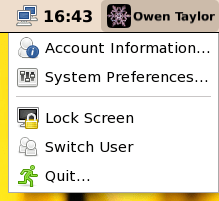
Colin, taking a break from saving the world for D-BUS, added a user menu to the right side of the panel, based on Jon McCann’s applet from GDM. Now you can actually log out, switch users, etc, from within gnome-shell.

gnome-shell-user-menu

Colin also did a quick hack to get the current GNOME taskbar to show up at the bottom of the screen so that you can see minimized applications and appications flashing for urgent attention. We’d like to do something better, or at least visually slicker, in the long term, but this fills in a big hole in the abiity to just use GNOME shell day-to-day.

Jonathan Matthew took visual effects that had been done upstream for Mutter and moved them to our Tweener and Javascript framework. This involved some Mutter patches to keep the different effects from stomping on each other. Again, it’s not something I really can take a static screenshot of… you’ll have to build GNOME Shell yourself to try it out, but there are animations now for windows mapping, maximizing, minimizing, being closed and so forth.

The largest number of contributions so far have been to a unsurprising place – to the build setup script: William Lachance, Mads Villadsen, Siegfried Gevatter, and Timbobsteve have all contributed to it. It now figures out what packages you need to install for your distribution ahead of time, instead of breaking obscurely halfway through, making it easier than ever to try GNOME Shell out. Thanks also to Achim Frase for testing and bug reporting.

There’s some more interesting work in the pipeline – enhancements to the “More” views, monitoring the applications that the user is using and so forth. See our Todo for ideas about ways you could help, or join us on IRC in #gnome-shell  and ask questions.

GNOME Shell Status – 2008-11-23

So, it’s been about three weeks since we started work on GNOME Shell and it seems about time to give update. A lot of the first weeks has been taken up with infrastructure work – getting things building, adding new features to gobject-introspection and gjs, debugging problems with various graphics drivers. But some of the visual elements are beginning to come together as well.

I’m happy with how with how our technical choices have worked out so far. We’ve had little trouble accessing the parts of the GNOME stack that we wanted to access from Javascript using gobject-introspection and gjs, but to me the even more convincing part of the gobject-introspection approach has been with custom C code we’ve written. You just write a GObject or add a method to an existing GObject and it’s there – no extra shim to write, no mucking around with binding generation tools.

While we’re still learning the ins and outs of Clutter, especially with regards to layout, it has worked well for our graphics so far. The port of Tweener that litl did to gjs is a really fun way of getting animations with little hard work. And while lots of restructuring and refactoring remain in the future, there’s no way we could have gotten to a mostly functioning desktop as quickly as we did without starting from Metacity.

So, on to the visual elements:

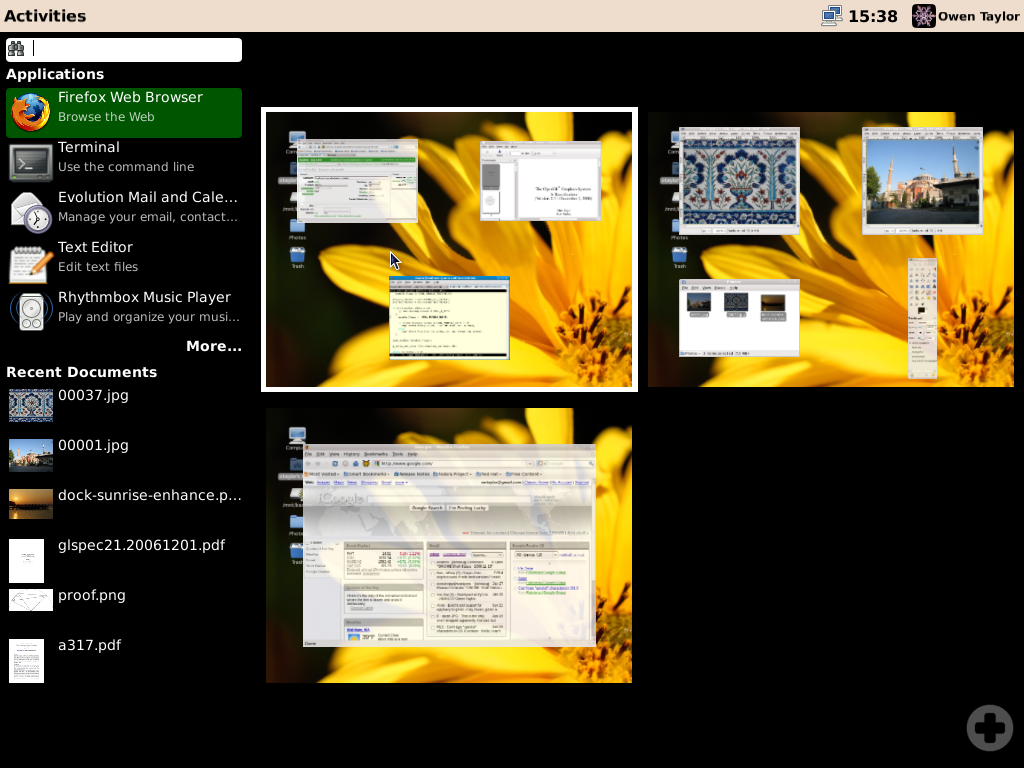
gnome-shell-20081122

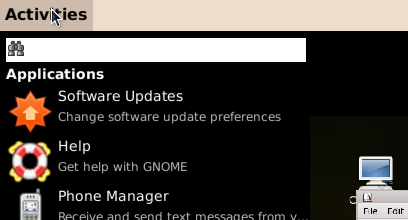
In the screenshot above you can see the “overlay” view you get when you click “Activities” that combines applications launching with switching to the applications that you already have open. The windows fly in nicely thanks to Tweener, but you’ll have to build things yourself to see that. That was pretty much the first thing I did on the Shell, and Marina has enhanced it since.

Colin, along with a lot of heavy-lifting on gobject-introspection, implemented a first pass at the applications sidebar on the left:

gnome-shell-20081122-applications

Dan took on the deceptively hard task of getting tray icons to display in the panel:

gnome-shell-20081122-tray-icons

Dan also got a neat desktop-switching animation working along the lines of what was done in the Mutter “Scratch” plugin.

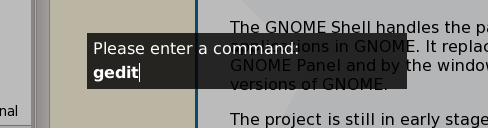
Sander showed up and created a quick Alt-F2 dialog:

gnome-shell-20081122-alt-f2

And I’ll close with a screenshot of the first patch we got on the mailing list. It’s a bit of a cheat for me to show it here, since the patch isn’t actually in subversion, but, well, it’s an inspiration for us to add plugins!

gnome-shell-20081122-wanda

Thanks Jeremy!